Merchant guide

Account signup: access and step-by-step registration

How to complete the signup form in the Avirato Payments dashboard and confirm your request by email.

New merchants sign up online through the dashboard registration form. There are three steps on one flow: business details, address and contact, then business activity. After you submit, you receive an email with a link to finish onboarding.

If you already have a user, use Log in at the top of the form instead of signing up again.

Where to start

Open the Avirato Payments registration link (matching your dashboard language). You will see the New account signup screen with the Avirato Payments logo and step indicator.

Step 1 of 3 — Business details

Start with basic information about your company or activity.

  • Contact email (signup confirmation is sent here).
  • Entity type: company/organization or sole trader/individual as applicable.
  • Legal name.
  • Trading name (how customers know you).
  • Tax ID / company registration number.
  • Click Continue to move to the next step.
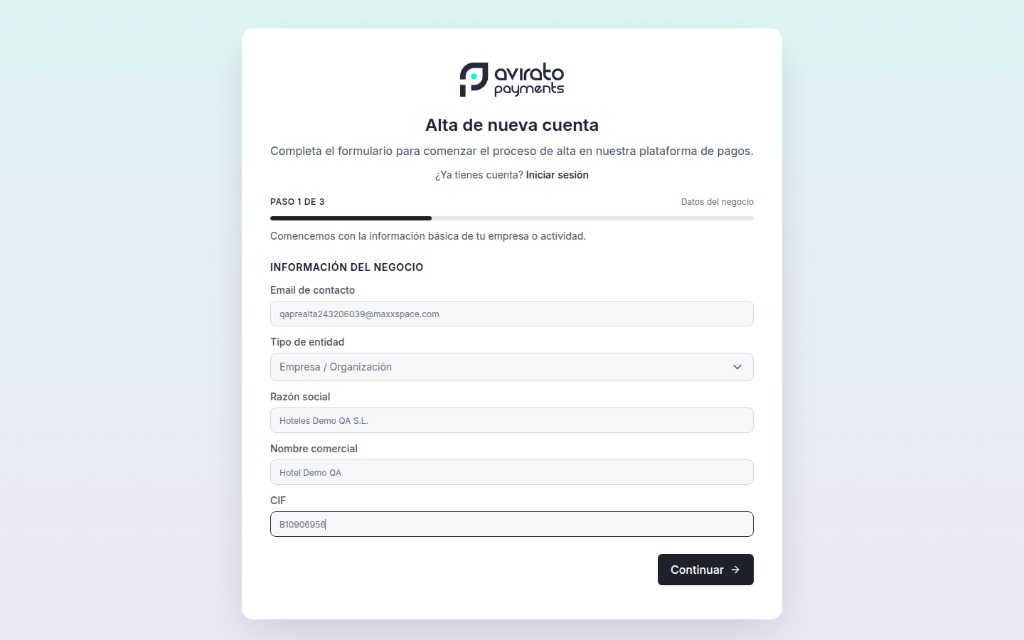
Step 1 form: business information filled in

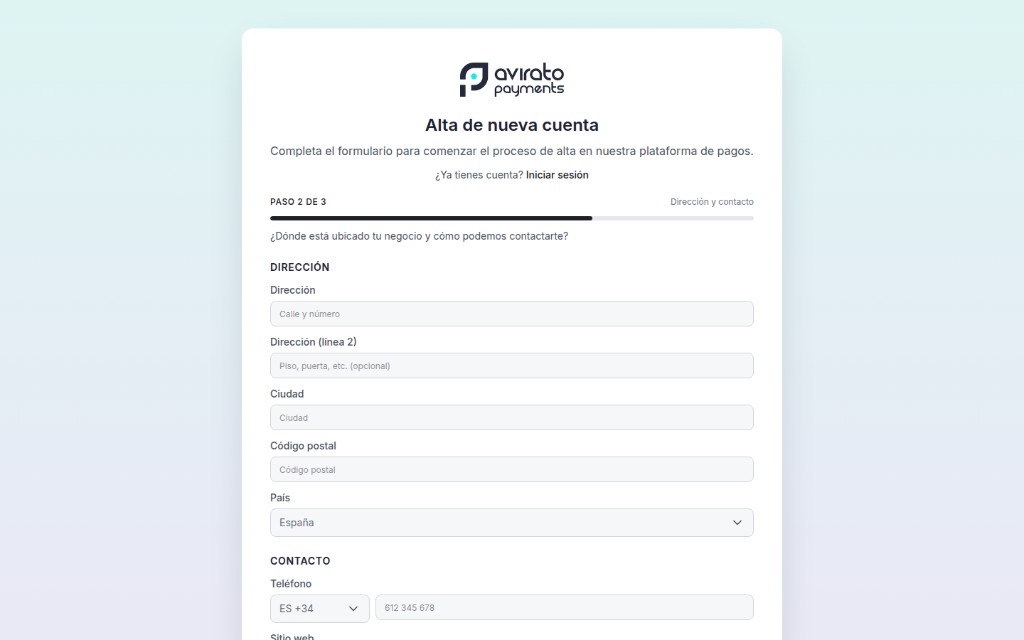
Step 2 of 3 — Address and contact

Where is your business located and how can we reach you?

  • Postal address: street, city, postcode, and country.
  • Phone number with international dialling code (e.g. ES +34).
  • Business website (required in this step).
  • Use Back to edit the previous step.
  • Click Continue when the details are correct.
Step 2 form: address and contact

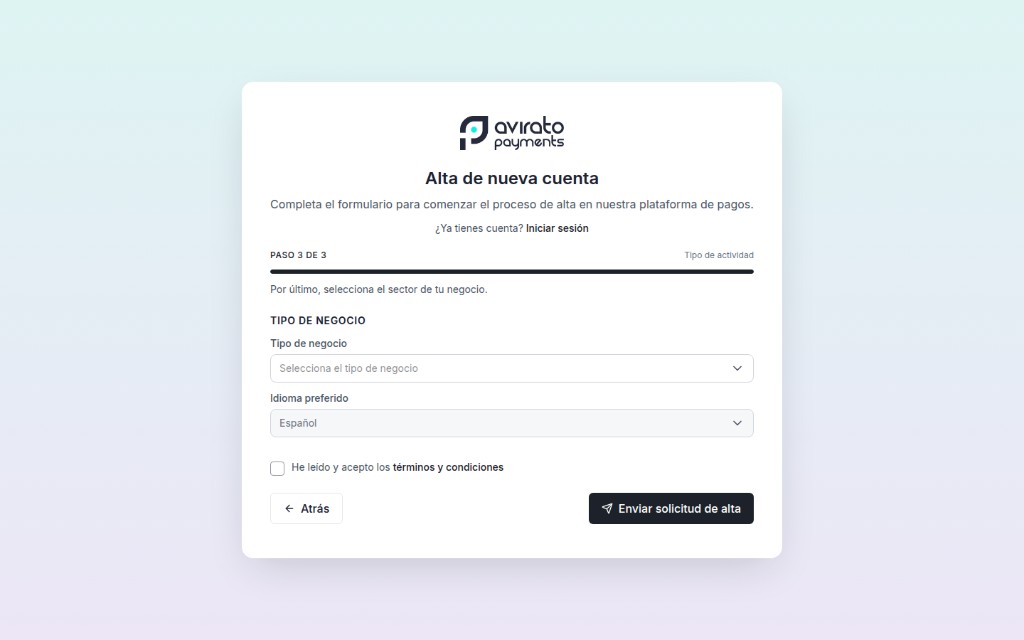
Step 3 of 3 — Business activity

Finally, select your business sector.

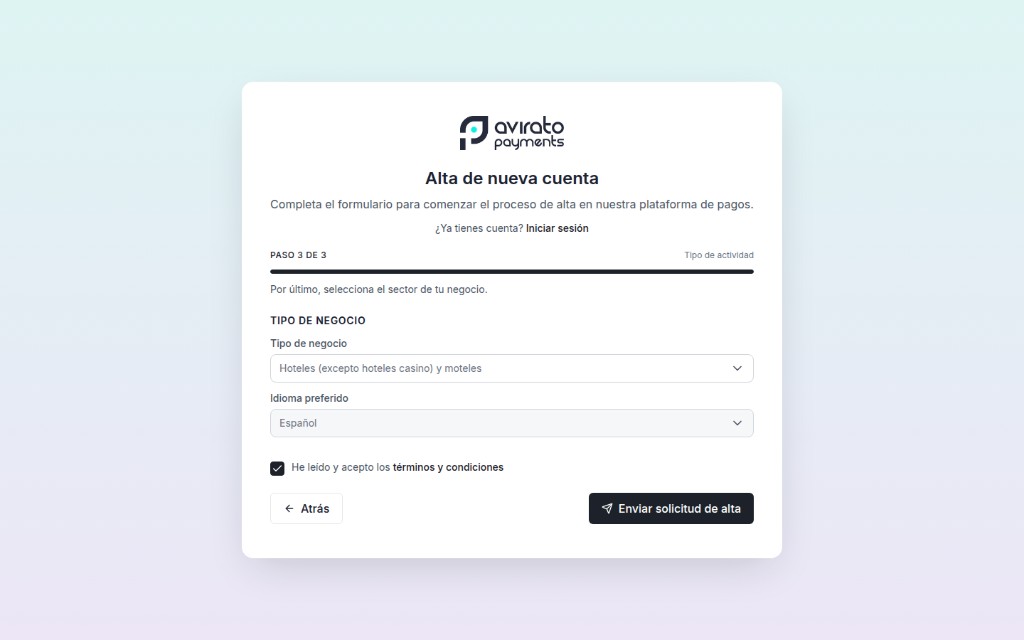
  • Choose business type from the dropdown (MCC sector).
  • Select your preferred dashboard language.
  • Check I have read and accept the terms and conditions.
  • Submit with Send signup request.
Step 3 form: selecting business type
Step 3 form: ready to submit signup request

Email confirmation

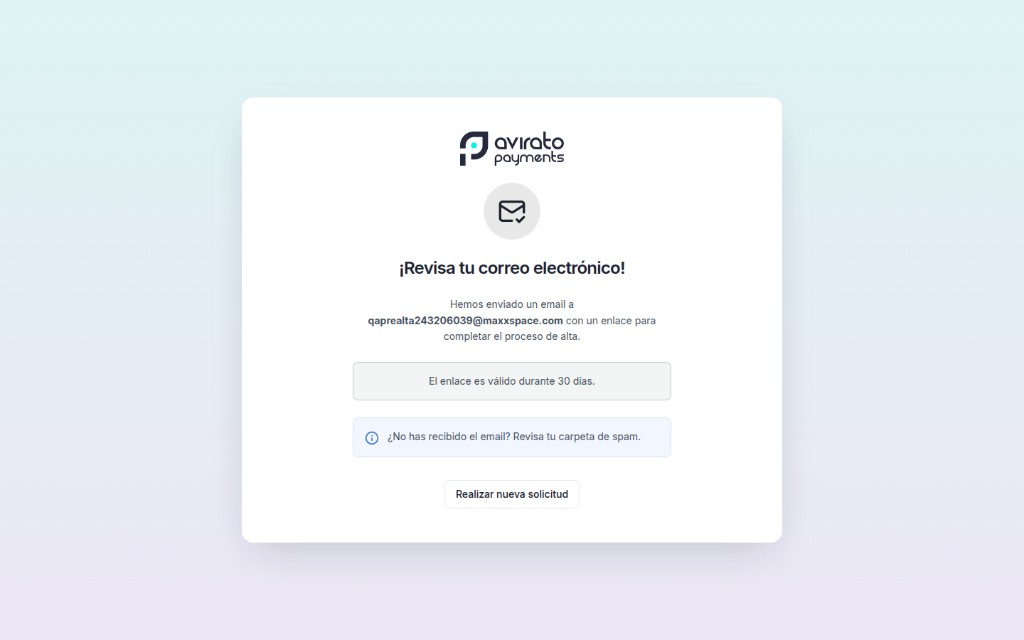
After submitting you will see Check your email! The screen explains that we sent a message to your address with a link to complete signup.

The link is usually valid for 30 days. If you do not receive the email within a few minutes, check spam or request a new message from the dashboard.

Confirmation screen: check your email